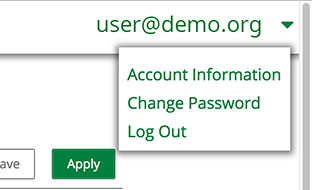
How To Log Out of the Applicant Portal Updated September 15, 2026 17:45 Follow Click your email address on the top-right corner of any page. In the dropdown menu, select Log Out. Related articles How To Create an Account on the Applicant Portal How To Log In to the Applicant Portal How To Change Your Password How To Start an Application Grant Maker Pre-Award: Application Configuration Comments 0 comments Article is closed for comments.
Comments
0 comments
Article is closed for comments.